01 — OBSERVE
More than one viewpoint.
Start with one camera. Expand to room and bed views after calibration. Each observation needs a timestamp, a common coordinate space, and a confidence estimate.
Your Pico trackers keep the motion going. Cameras help it find its footing. A framework for camera-assisted full body tracking through WiVRn NX.
Local-first design. Per-joint corrections. Pico fallback.
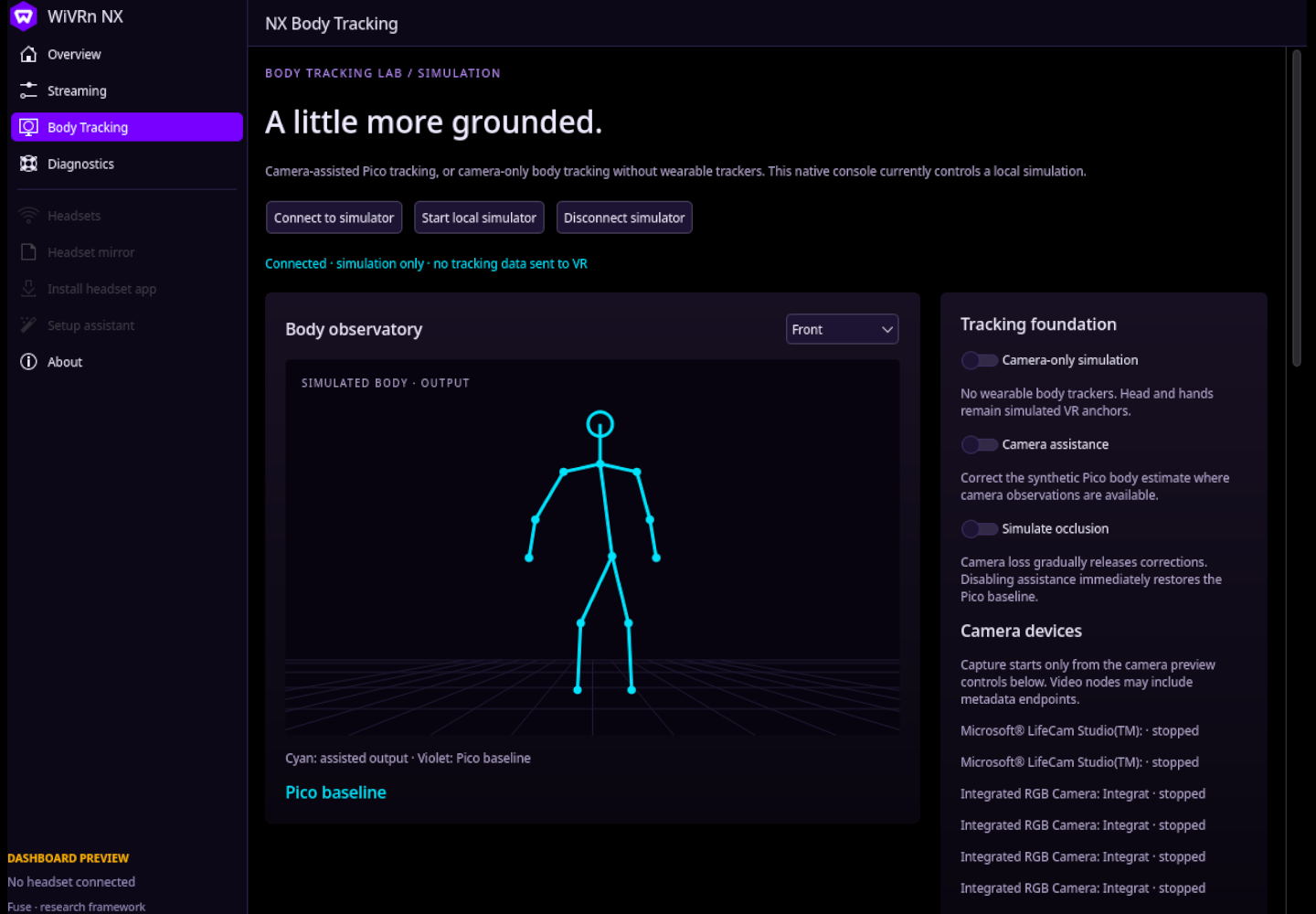
A camera losing one ankle should not take down your entire skeleton. The design keeps assistance selective and the original Pico estimate available.
Start with one camera. Expand to room and bed views after calibration. Each observation needs a timestamp, a common coordinate space, and a confidence estimate.
Evaluate joints individually. Reject stale or implausible observations and blend eligible corrections. Headset and controller tracking remain authoritative.
When visibility drops, assistance fades back toward Pico. Camera processing belongs outside the VR tracking loop so a stalled camera cannot stall the headset.
Different views solve different visibility problems. Overlapping cameras can add depth; separate views can extend coverage. Both need calibration.
Begin with visible hips and feet in a room-facing view. Test drift correction, movement lag, and transitions before adding more complexity.
Overhead views and lying poses are research targets. Blankets, crossed legs, and hidden joints remain hard cases; unseen limbs need fallback.
Small milestones, explicit limits, and repeatable comparisons. The native dashboard and camera observation path are available; calibrated live correction remains ahead.
Assisted and camera-only simulations, tracker-neutral fusion logic, and checks for fallback behavior.
FrameworkWiVRn NX dashboard with a Body Tracking page, local camera discovery, explicit capture, and simulation transport.
AvailableMediaPipe 2D landmarks and hip-relative inferred 3D are available; camera-to-VR calibration and quality gates remain.
PreviewVerify the body-pose path, add an optional adapter, and demonstrate one corrected joint with an immediate bypass.
PlannedRegister additional cameras, test overlap and view handovers, then evaluate lying and occluded poses.
ResearchRun the local simulation, or open the native WiVRn NX dashboard for camera discovery and explicit capture controls. No headset or camera is required for the simulation.
Native dashboard & setup guide Source, simulation & research plangit clone https://github.com/nerdrx/nx-fuse.git
cd nx-fuse
python3 app.pyNot yet. The native dashboard and camera path provide local observation and simulation tools. Real tracker injection and calibrated camera-to-VR correction must be implemented and validated before they can change tracking in a game.
The optional MediaPipe path shows 2D landmarks and hip-relative inferred 3D coordinates. They are uncalibrated model coordinates, not measured camera depth or calibrated VR-space poses. Read the monocular research plan.
The dashboard is developed in WiVRn NX. Its Body Tracking page discovers local cameras and keeps capture explicit; the simulation service remains separate. Read the native dashboard guide.
The fusion core accepts named baseline poses without a tracker SDK. Pico through WiVRn NX is the first hardware target. Tracker injection and other adapters are planned, not verified integrations.
Those are possible future inputs, not confirmed supported devices. Practical camera count depends on capture support, USB or network bandwidth, synchronization, inference cost, and calibration quality. The first hardware milestone deliberately uses one camera.
A camera cannot reliably recover invisible limbs from an image alone. The intended behavior is to reduce camera influence and retain the Pico estimate, rather than confidently invent a pose.
The camera path processes frames locally and only exposes the bounded latest JPEG through the local service. It does not upload footage or inject poses into WiVRn.